
API Reference
Complete parameter definitions, response schemas, feature flags, and error codes for all four REFRACT Platform Power Platform connector actions.
Actions Overview
| Action | Method | Gateway Route |
|---|---|---|
| Generate Document | POST | /api/gateway/v1/documents/generate |
| Get Document URL | GET | /api/gateway/v1/documents/open |
| Check Workflow Status | GET | /api/gateway/v1/workflows/{workflowId} |
| Download Sealed PDF | GET | /api/gateway/v1/workflows/{workflowId}/pdf |
These are the only four gateway routes the Dispatcher exposes. There is no separate action for sending a document for signature or for approval - Generate Document is the one universal rendering action, and the templateSettings you send in the request body determines whether it also starts an e-signature or approval workflow. There is also no connection health-check action on the gateway route prefix - the Dispatcher's health endpoint (GET /healthz) lives outside /gateway/v1 and is not exposed as a connector action.
Generate Document
Renders a PDF from a template and a JSON data payload stored in SharePoint. Returns the PDF binary directly, plus response headers with the blob path and, when a workflow is configured via templateSettings, a workflow ID for tracking progress.
Request Parameters
| Parameter | Required | Type | Description |
|---|---|---|---|
| Template Path | Yes | string | Path to the template in the template library (e.g. DynamicsGP/Workflows/vendor-onboarding.rpkg) |
| Payload Path | Yes | string | SharePoint-relative path to the JSON data file (e.g. DynamicsGP/Workflows/vendor-onboarding-payload.json) |
| Template Settings | No | object | Controls e-signature, approval workflows, watermarks, and distribution. See Template Settings below. |
| Options | No | object | Document metadata and feature flags. See Options below. |
Options
The options object controls document identity, classification, and which REFRACT Platform features are activated for this render. All sub-fields are optional.
| Field | Type | Description |
|---|---|---|
documentId | string | Unique document identifier - used as the PDF filename and written to SharePoint metadata (e.g. INV-2026-001) |
docType | string | Document category written to SharePoint columns (e.g. invoice, workflow, contract, report) |
sourceSystem | string | Originating ERP or application (e.g. DynamicsGP, BusinessCentral, D365, Salesforce) |
generatedBy | string | Email or identity of the user or service principal that triggered generation |
customColumns | object | Key-value pairs (string values) written to custom SharePoint columns on the generated document item |
features | object | Boolean feature flags. Any flag can be included - see Feature Flags. |
idempotencyKey | string | Optional key naming this specific request attempt, distinct from documentId. Not currently used for deduplication. Must not contain / \ # ? or control characters, and must be 256 characters or fewer |
documentId and docType live inside options
In Power Automate, set documentId and docType inside the Options field - not as top-level parameters. Top-level documentId and documentType fields do not exist in this connector.
Feature Flags
Pass any combination of boolean flags inside options.features. Unknown flags are forwarded to the Dispatcher and ignored if not supported.
| Flag | Description |
|---|---|
generatedDocuments | Upload the rendered PDF to the GeneratedDocuments library in SharePoint / Blob Storage |
auditSnapshot | Write a PDFGenerated audit event to the AuditLogs library |
dataRedaction | Apply field-level redaction policy defined in the template |
explainDocument | Capture a machine-readable explanation trace of every render decision. Auto-enabled when vaultESign, dataRedaction, section508Accessibility, or templateSettings.approvalPanel is active. |
vaultESign | Trigger electronic signature workflow after generation (requires templateSettings.esign or templateSettings.workflow) |
immutableAudit | Write a tamper-evident audit record to the enterprise audit store |
vaultDelivery | Route the document through the REFRACT Delivery distribution service |
section508Accessibility | Apply PDF/UA-1 tagging and check the output against the engine's own accessibility validator |
vaultWorkflow | Enable REFRACT Workflow engine integration |
Template Settings
Trigger an approval or review workflow after generation. Recipients receive an email with a link to review the document.
{
  "workflow": {
    "enabled": true,
    "recipients": [
      {
        "email": "approver@contoso.com",
        "displayName": "Finance Manager"
      }
    ],
    "organizationName": "Contoso",
    "message": "Please review and approve this document.",
    "expiresInDays": 1,
    "requireOtp": false,
    "appendElectronicEvidence": true
  }
}| Field | Type | Description |
|---|---|---|
enabled | boolean | Must be true to trigger the workflow |
recipients | array | List of { email, displayName } objects |
organizationName | string | Displayed in the workflow email |
message | string | Custom message shown to recipients |
expiresInDays | number | Days before the workflow link expires: more than 0 and at most 1 (default 1). A larger value is refused, not shortened |
requireOtp | boolean | Require one-time passcode for recipient verification |
appendElectronicEvidence | boolean | Attach electronic evidence certificate to the sealed PDF |
Route the document for electronic signature via the REFRACT eSign engine.
{
  "esign": {
    "enabled": true,
    "signingMode": "sequential",
    "expiresInMinutes": 10080,
    "signers": [
      {
        "slotIndex": 0,
        "role": "Signer",
        "email": "signer@example.com",
        "namePrefill": "Jane Smith"
      }
    ],
    "requestedByEmail": "jane.smith@contoso.com",
    "sendPerSignerNotices": true
  }
}| Field | Type | Description |
|---|---|---|
enabled | boolean | Must be true |
signingMode | string | "single", "sequential" (signers sign in order), or "parallel". Defaults to "sequential" |
expiresInMinutes | integer | Each signer's window, in whole minutes: from 60 to 10080 (7 days). Defaults to 10080. A value outside the range refuses the render. eSign has no expiresInDays setting. See Session Expiry |
signers | array | One object per signer: slotIndex (zero-based), role (matches the template's signature block), email, and optional namePrefill |
organizationName | string | Display name shown as the invitation's requester |
requestedBy | string | Display name of the individual requester |
requestedByEmail | string | Email of the individual requester, shown in the signer invitation footer. There is no fallback to options.generatedBy - omit it and the invitation shows no requester email |
sendPerSignerNotices | boolean | Notify the requester as each signer completes, not just at the end. Defaults to true for multi-signer sessions, false for single-signer |
reminders | object | Automatic reminder settings (enabled, firstAfterDays, repeatEveryDays, maxReminders, expiryWarningDays). Reminders are on by default. See eSign Reminders |
Apply a text watermark to every page of the generated PDF.
{
  "watermark": {
    "enabled": true,
    "value": "CONFIDENTIAL",
    "opacity": 0.1
  }
}| Field | Type | Description |
|---|---|---|
enabled | boolean | Must be true |
value | string | Watermark text |
opacity | number | Opacity from 0 (invisible) to 1 (opaque). Default: 0.1. Hard-capped at 0.2 for text watermarks regardless of what is requested |
Parameters in Power Automate
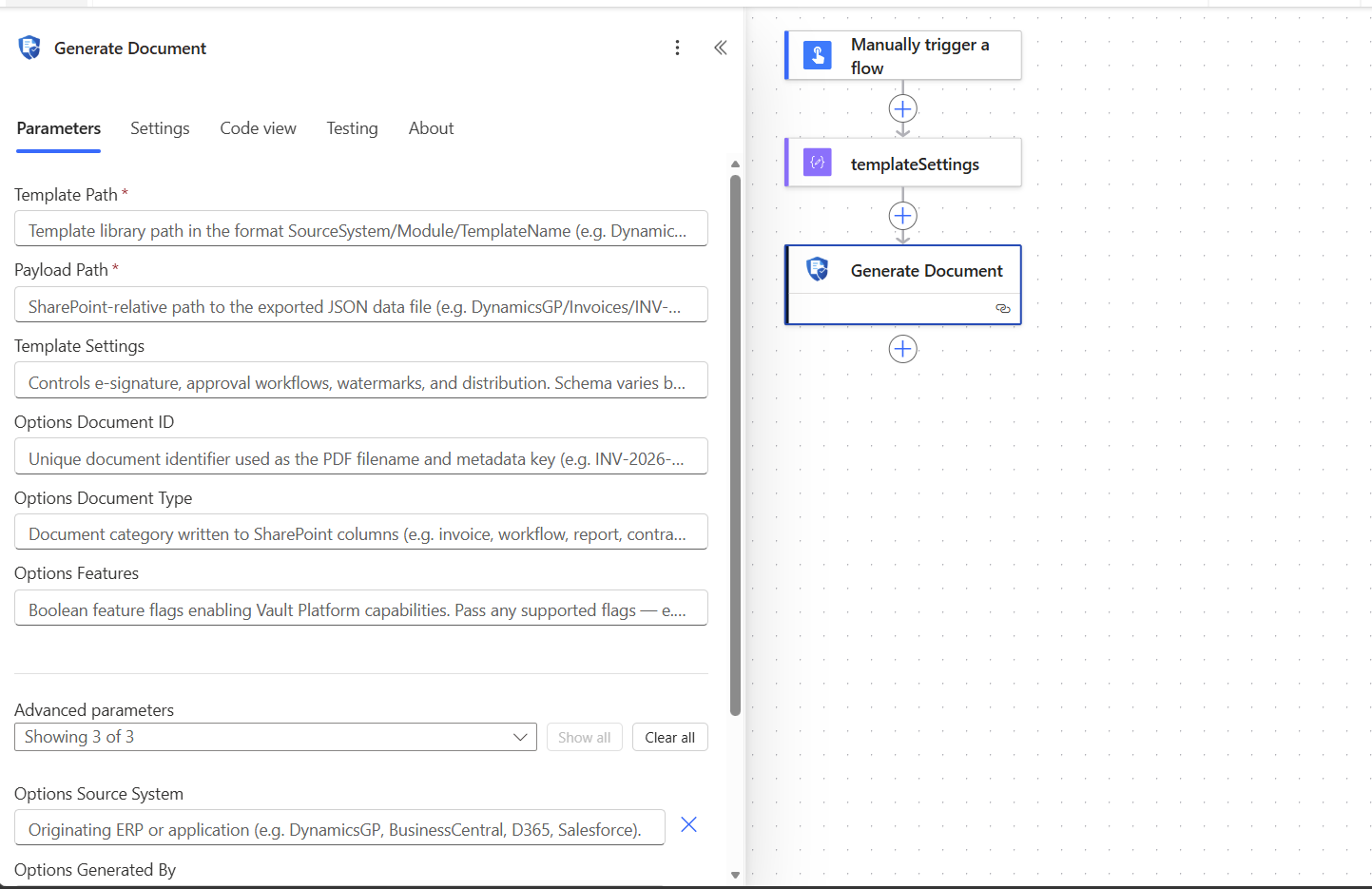
Full Request Example
{
  "templatePath": "DynamicsGP/Workflows/vendor-onboarding.rpkg",
  "payloadPath": "DynamicsGP/Workflows/vendor-onboarding-payload.json",
  "templateSettings": {
    "workflow": {
      "enabled": true,
      "recipients": [{ "email": "ap@contoso.com", "displayName": "Acme AP" }],
      "organizationName": "Contoso",
      "message": "Please complete vendor onboarding. Account: Vendor_106",
      "expiresInDays": 1,
      "requireOtp": false,
      "appendElectronicEvidence": true
    }
  },
  "options": {
    "documentId": "Vendor_107",
    "sourceSystem": "DynamicsGP",
    "docType": "workflow",
    "generatedBy": "erp-service@contoso.com",
    "customColumns": { "vendorId": "Vendor1001", "vendorName": "Jane Smith" },
    "features": {
      "generatedDocuments": true,
      "auditSnapshot": true,
      "dataRedaction": true,
      "explainDocument": true,
      "vaultESign": true,
      "immutableAudit": true,
      "vaultDelivery": true
    }
  }
}
Response
Generate Document returns the PDF binary directly - not JSON. Metadata is in the response headers.
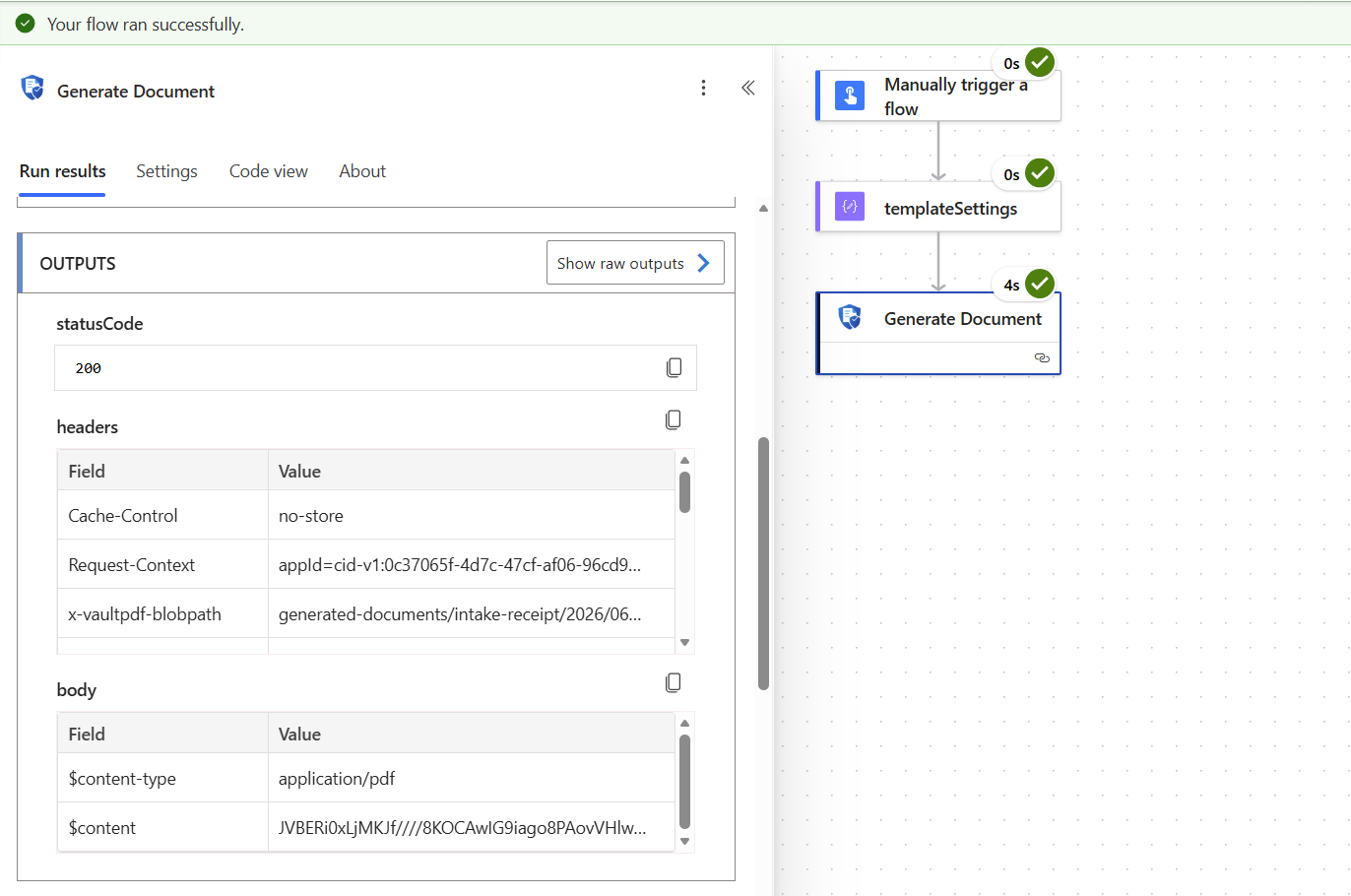
Header names use the X-Refract- prefix
The connector definition declares x-refract-blobpath, x-refract-workflowid, and x-refract-correlationid. Flows built on the earlier connector definition read the earlier names, which the Dispatcher no longer sends: update those flows to the X-Refract- names (see Earlier Header Names). Use the exact header names below in new flows. X-REFRACTPDF-* is not a real header on this connector.
| Response header | Description | Expression in Power Automate |
|---|---|---|
X-Refract-BlobPath | Blob path of the stored PDF | outputs('Generate_Document')?['headers']['X-Refract-BlobPath'] |
X-Refract-WorkflowId | Workflow ID - only present when a workflow was started | outputs('Generate_Document')?['headers']['X-Refract-WorkflowId'] |
X-Refract-CorrelationId | Unique render ID for support | outputs('Generate_Document')?['headers']['X-Refract-CorrelationId'] |
Power Automate may normalize header name casing in the outputs()?['headers'] object - if an expression above does not resolve, check the actual header keys in the flow's run history and match them exactly.
The response body is the PDF binary ($content-type: application/pdf). You can pass it directly to Send an email (as attachment) or Create file (SharePoint/OneDrive) actions.
Getting the blob path and workflow ID in your flow
Blob path:   outputs('Generate_Document')?['headers']['X-Refract-BlobPath']
Workflow ID: outputs('Generate_Document')?['headers']['X-Refract-WorkflowId']
Pass the blob path to Get Document URL to retrieve the file's bytes again later. Pass the workflow ID to Check Workflow Status to poll progress.
Error Responses
| Status | Description | Common Cause |
|---|---|---|
| 400 | Invalid request | templatePath and payloadPath are both required (code PAYLOAD_PATH_REQUIRED when payloadPath is missing), or the request body is incomplete |
| 401 | Authentication failed | The bearer token's signature, issuer, audience, or expiry check failed |
| 403 | Access denied | Token tid does not match the Dispatcher's AZURE_TENANT_ID; or (code ROLE_MISSING, "role": "Render.Access") the connector's app does not hold Render.Access; or (code LICENSE_INVALID) the licence was checked and is not valid; or (code FEATURE_NOT_LICENSED) the licence lacks a feature the request asked for. A licence that could not be checked answers 503, not 403 |
| 404 | Template or payload not found | Code TEMPLATE_NOT_FOUND or PAYLOAD_NOT_FOUND: the file does not exist at the specified path |
| 422 | Template, payload, or redaction policy unusable | Code TEMPLATE_UNREADABLE, TEMPLATE_LAYOUT_SCHEMA_MISSING, PAYLOAD_UNREADABLE, REDACTION_POLICY_NOT_FOUND, or REDACTION_POLICY_INVALID. A 422 with a PDF body instead is a workflow refused after the document was stored |
| 429 | Rate limit exceeded | More than 100 requests in 60 seconds from this tenant/app - see Rate Limiting below |
| 500 | Generation failed | A fault of the Dispatcher, or an eSign or Delivery session refused after the document was stored. The body is an error-report PDF - use correlationId when contacting support |
| 503 | Service unavailable | Code LICENSE_UNAVAILABLE, GENERATED_DOCUMENT_NOT_STORED, or ROUTING_TEMPORARILY_UNAVAILABLE, with "retryable": true: send the request again after Retry-After. Code TENANT_SCOPE_NOT_CONFIGURED: the Dispatcher's AZURE_TENANT_ID is not configured. The other 503 codes are on Error responses and codes |
The 4xx answers above carry a JSON body, { "error", "code", "message", "correlationId" }, and nothing is rendered or stored for them. Generate Document runs the same rendering logic as /api/render, so it answers with the same codes; see Error responses and codes for every code, its meaning, and whether to retry.
A failure with a PDF body (a 500, or the workflow 422) returns an error report, and these headers say why without opening it:
| Response header | Description | Expression in Power Automate |
|---|---|---|
X-Refract-ErrorCode | RENDER_FAILED for an unexpected failure, or the refusal's code | outputs('Generate_Document')?['headers']['X-Refract-ErrorCode'] |
X-Refract-ErrorMessage | One line of plain text in the Dispatcher's own wording | outputs('Generate_Document')?['headers']['X-Refract-ErrorMessage'] |
X-Refract-ErrorReportPath | Where the stored error report is; absent when it was not stored | outputs('Generate_Document')?['headers']['X-Refract-ErrorReportPath'] |
X-Refract-CorrelationId | Unique render ID for support | outputs('Generate_Document')?['headers']['X-Refract-CorrelationId'] |
X-Refract-BlobPath means the stored document. Some error-report 500 responses still set it to the error report's location for one release so that older flows keep working; read X-Refract-ErrorReportPath instead.
Handling Errors in a Flow
A 4xx or 5xx answer fails the Generate Document action. To handle it, add a step after Generate Document and set its Configure run after to has failed, then read the failure from the action's outputs:
Status:        outputs('Generate_Document')?['statusCode']
Refusal code:  body('Generate_Document')?['code']
Error code:    outputs('Generate_Document')?['headers']['X-Refract-ErrorCode']
Correlation:   outputs('Generate_Document')?['headers']['X-Refract-CorrelationId']
Use the refusal code for a 4xx with a JSON body, and the error code for a response with a PDF body. A request problem gets the same answer if the flow sends the same request again, so route it to whoever owns the template or the payload rather than retrying. Keep the correlation ID with any 500 you report.
Send the request again only when body('Generate_Document')?['retryable'] is true, after the number of seconds in outputs('Generate_Document')?['headers']['Retry-After']. Power Automate's default retry policy resends every 5xx, and a resent 500 renders and stores the document again, so set the Generate Document action's retry policy to None and retry from the flow instead. When to retry has the full rule.
Get Document URL
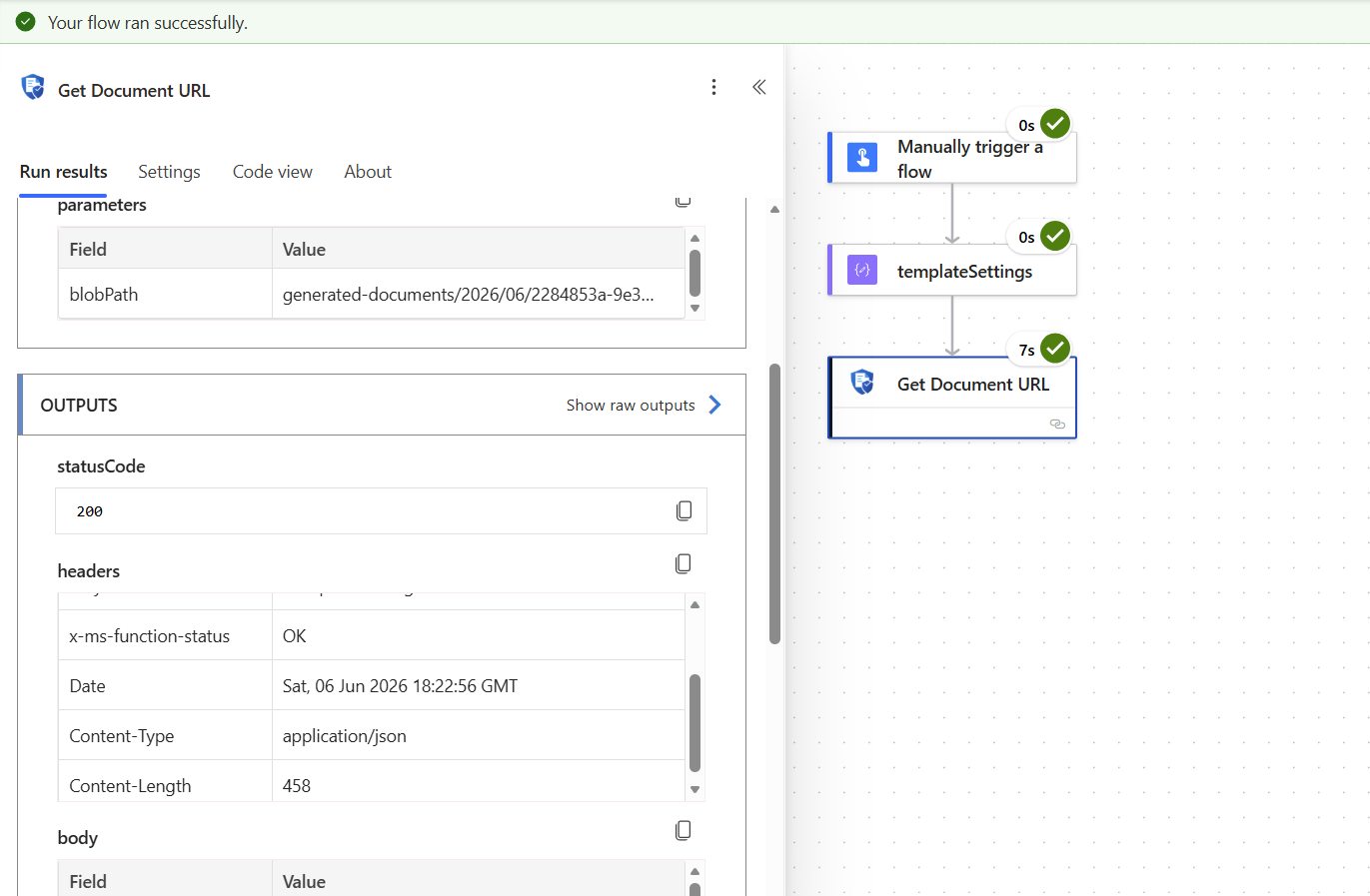
Despite its name (operationId: GetDocumentUrl, inherited from an earlier design where this action returned a link), this action streams the raw bytes of a document stored in Blob Storage directly - it does not return a URL. Pass the blob path returned by Generate Document.
Returns bytes, not a URL
This action returns the file's bytes directly. It does not return a JSON { "url": "..." } response. Production storage is network-locked, so a browser- or flow-facing signed URL would not be reachable from Power Platform - the Dispatcher proxies the bytes through the Function App instead.
Needs the Lifecycle.Reader role
Files stored in your Blob Storage are document records, so the connector's App Registration must hold the Lifecycle.Reader role, as well as Render.Access, as application permissions, with admin consent. Without it the action fails with 403 and code ROLE_MISSING. See Integrations that use app tokens.
Parameters
| Parameter | Required | Type | Description |
|---|---|---|---|
| Blob Path | Yes | string | Container-qualified path, sent as the blobPath query parameter (e.g. generated-documents/2026/06/file.pdf) |
Response
A 200 response returns the raw document bytes. Content-Type and Content-Disposition are set from the blob's own metadata. There is no url field and no JSON envelope on success.
Pass the response body directly to Create file (SharePoint/OneDrive) or Send an email (as an attachment) - there is no separate link to fetch or store, and nothing expires the way a signed URL would.
Error Responses
| Status | Description |
|---|---|
| 401 | Authentication failed |
| 403 | blobPath container is not in the allowed list, or (code ROLE_MISSING) the connector's app does not hold the Lifecycle.Reader or Render.Access role |
| 404 | Document not found at the specified path |
| 500 | Failed to access the document |
Check Workflow Status
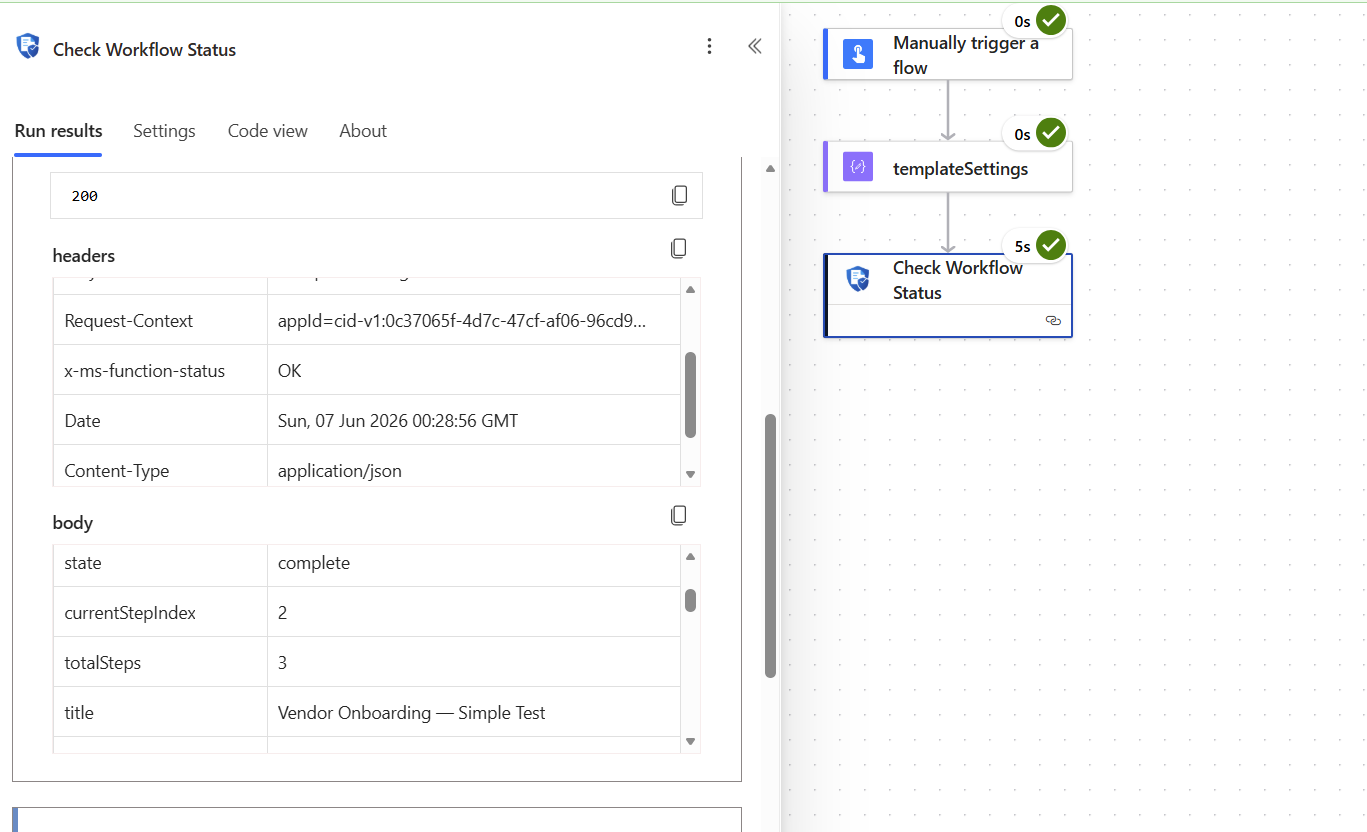
Returns the current state of a document workflow. Poll this action and compare the state field to the terminal value(s) you care about (typically complete, rejected, or cancelled), then call Download Sealed PDF once state is complete.
No isComplete or isRejected field
The response does not include isComplete or isRejected boolean fields. Build Do Until conditions and other logic against the state field and its string values below, not against a boolean flag.
Needs the Lifecycle.Reader role
This action returns the workflow's data, so the connector's App Registration must hold the Lifecycle.Reader role, as well as Render.Access, as application permissions, with admin consent. Without it the action fails with 403 and code ROLE_MISSING. See Integrations that use app tokens.
Parameters
| Parameter | Required | Type | Description |
|---|---|---|---|
| Workflow ID | Yes | string | The workflow ID returned in the X-Refract-WorkflowId header by Generate Document |
Response
{
  "workflowId": "a3f8c201-d4e9-47b2-91c3-556677880001",
  "correlationId": "6f1e2b3c-7a4d-4e51-9b2f-8c31a0e5f9d0",
  "tenantId": "c49962a1-53d3-4af8-8d5d-35f34cd0be9c",
  "state": "pending-approval",
  "currentStepIndex": 1,
  "totalSteps": 2,
  "title": "Vendor Onboarding Workflow",
  "createdAt": "2026-06-01T14:02:11Z",
  "updatedAt": "2026-06-02T09:15:44Z",
  "data": {}
}| Field | Type | Description |
|---|---|---|
workflowId | string | The workflow ID (as requested) |
correlationId | string | Correlation ID of the render that started this workflow |
tenantId | string | Tenant that owns this workflow |
state | string | Current state - see the values below |
currentStepIndex | integer | Index of the current step |
totalSteps | integer | Total number of steps in the workflow |
title | string | Display name of the workflow template |
createdAt / updatedAt | string | ISO 8601 timestamps |
data | object | Data submitted so far, merged across workflow steps |
requireOtp / otpVerified | boolean | Present only when one-time-passcode verification applies to this workflow |
Workflow States
state is one of exactly these thirteen values:
| State | Meaning |
|---|---|
draft | Workflow created but not yet started |
in-progress | Workflow active, awaiting recipient action |
validating | Transient - the server is evaluating validation rules |
validation-failed | An error-severity validation rule failed; a participant must correct the data |
pending-approval | Awaiting an approval step |
under-review | A recipient is actively reviewing |
changes-requested | A reviewer requested changes |
escalated | Escalated from under-review |
approved | Approval step completed |
rejected | A recipient rejected the document - terminal, workflow is closed |
sealing | Transient - the sealed PDF is being produced |
complete | All steps complete - the sealed PDF is available - terminal |
cancelled | Workflow was cancelled - terminal |
Recommended Polling Strategy
| Guidance | Detail |
|---|---|
| Starting interval | About 30 seconds |
| Back off toward | Up to 5 minutes, for long-running workflows |
| Rate limit | 100 requests per 60 seconds per tenant/app. Exceeding it returns 429 with a Retry-After header. |
Do not poll too frequently
A fixed, short polling interval across many concurrent flow runs can trip the Dispatcher's rate limit. Start around 30 seconds and back off toward a 5-minute interval for workflows that are expected to take longer.
Error Responses
| Status | Description |
|---|---|
| 401 | Authentication failed |
| 403 | Code ROLE_MISSING: the connector's app does not hold Render.Access or Lifecycle.Reader |
| 404 | Workflow ID not found or does not belong to this tenant |
| 429 | Rate limit exceeded - see Recommended Polling Strategy above |
| 500 | Dispatcher error retrieving workflow state |
Download Sealed PDF
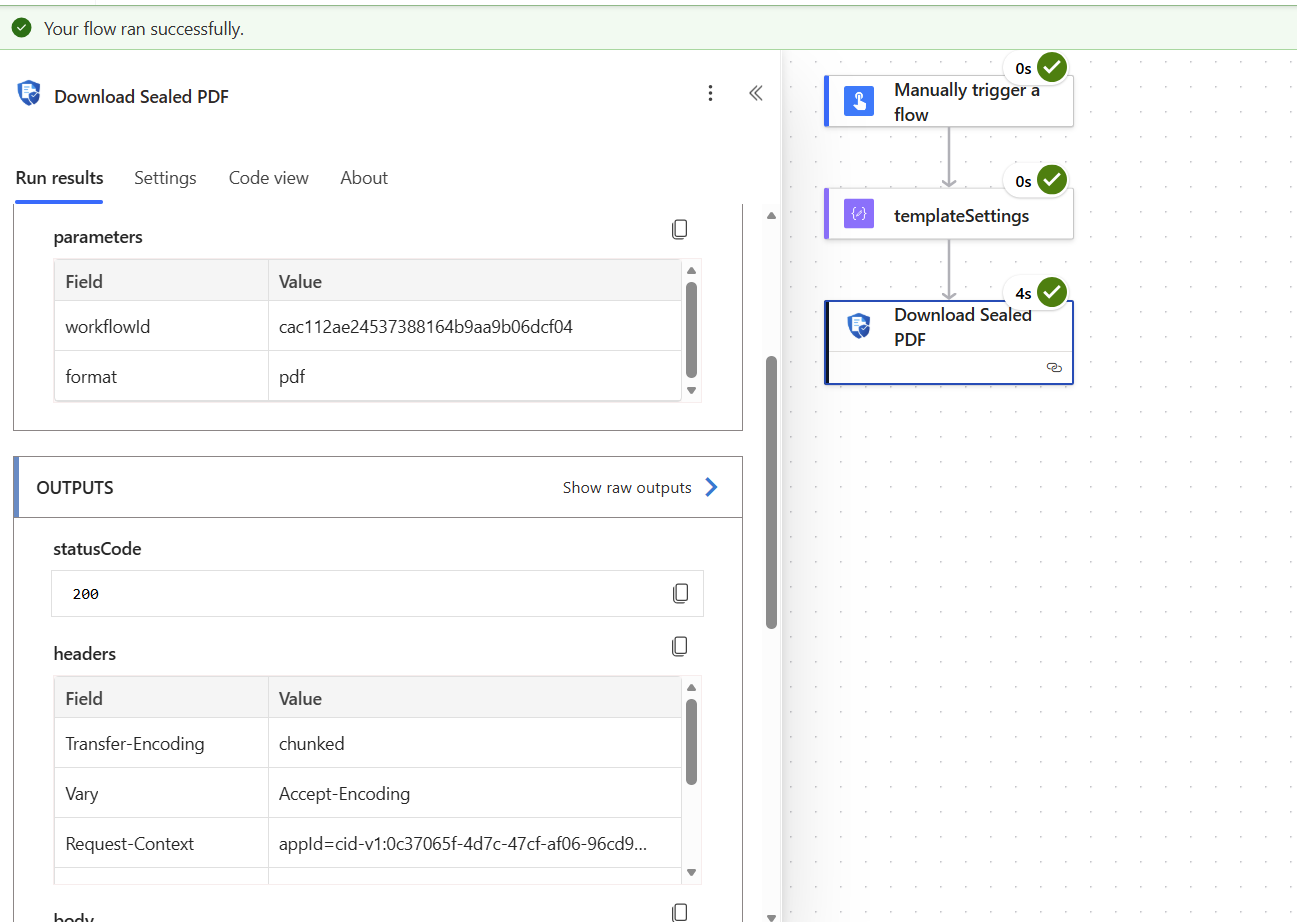
Streams the raw bytes of the completed, countersigned PDF. Only available once state is complete on Check Workflow Status.
Needs Lifecycle.Reader
The sealed PDF is a document record, so the connector's App Registration must hold the Lifecycle.Reader role, as well as Render.Access, as application permissions, with admin consent. An app is never a workflow participant, so the role is what lets it download the PDF. Without it the action fails with 403 and code ROLE_MISSING.
Parameters
| Parameter | Required | Type | Description |
|---|---|---|---|
| Workflow ID | Yes | string | The workflow ID returned in the X-Refract-WorkflowId header by Generate Document |
Response
A 200 response returns the raw PDF bytes, with Content-Disposition: attachment; filename="workflow-{workflowId}-sealed.pdf".
Returns bytes, not a downloadUrl
This action does not return a JSON { "downloadUrl": "..." } response. Production storage is network-locked, so the Dispatcher proxies the sealed PDF's bytes through the Function App rather than returning a signed URL that Power Platform could not reach directly.
Pass the response body directly to Create file (SharePoint/OneDrive) or Send an email (as an attachment).
What is a sealed PDF?
The sealed PDF includes the signed or approved document content, signature zones with signer identity and timestamps, and - when appendElectronicEvidence is enabled - an evidence certificate with a full audit trail and integrity hash.
Error Responses
| Status | Description |
|---|---|
| 401 | Authentication failed |
| 403 | Code ROLE_MISSING: the app lacks Render.Access or Lifecycle.Reader. No code, "detail" starting document-access-denied: the sealed PDF's restriction policy refuses the app |
| 404 | Workflow not found, not yet complete, or the sealed PDF blob is missing from storage |
| 500 | The Dispatcher's blob storage account is not configured, or the blob stream failed |
Authentication Errors
These come from the connector's own script.csx, which acquires a client-credentials token from Azure AD before every request - they occur before the request reaches the Dispatcher.
| Error message | Cause | Fix |
|---|---|---|
Connection parameter 'tenantId' is missing. Edit the connection and provide a value. (or clientId/clientSecret/scope) | That field was left blank on the connection | Edit the connection and fill in the missing value |
Invalid Client ID or Client Secret. Check your connection settings. | Azure AD returned invalid_client | Verify the Client ID and Client Secret against the App Registration |
App not authorised for client_credentials. Check App Registration API permissions. | Azure AD returned unauthorized_client | Grant and admin-consent the required API permission on the App Registration |
Invalid OAuth Scope. Expected format: api://<app-id>/.default. | Azure AD returned invalid_scope | Correct the Scope field to api://<dispatcher-app-client-id>/.default |
Azure AD rejected the token request (invalid_request): ... | Azure AD returned invalid_request | Re-enter the Tenant ID, Client ID, Secret, and Scope carefully, with no extra whitespace |
Azure AD tenant not found. Check the Tenant ID value. | Azure AD returned tenant_not_found | Verify the tenant ID in Azure Portal → Microsoft Entra ID → Overview |
Authentication timed out. Check that the Tenant ID is correct and Azure AD is reachable. | The token request to login.microsoftonline.com did not complete | Confirm outbound connectivity from Power Platform to Microsoft Entra ID |
Frequently Asked Questions
Yes. A connection created in a Power Platform environment is available to all flows and apps in that environment. You only need to create it once per environment.
Yes. Each connection stores its own Dispatcher URL and tenant ID. Create one connection per environment and point each to the corresponding Dispatcher instance.
Each connection stores its own client secret, encrypted, alongside the Dispatcher URL, tenant ID, client ID, and scope. It is entered once when the connection is created and is not shown again afterward. The connector's script uses it only to acquire a token from Azure AD on each call - it is never forwarded to the Dispatcher, and acquired tokens never surface in flow run history, action outputs, or logs.
Yes. The features field accepts any boolean key - unknown flags are forwarded to the Dispatcher and activated if the Dispatcher version you are running supports them. You never need to update the connector to use new feature flags.
The connector runs a small C# script (script.csx) on every call - it acquires a client-credentials access token from Azure AD using the connection's stored Tenant ID, Client ID, Client Secret, and Scope, then forwards the request to the Dispatcher with that token. Power Platform's custom-code scripts have a 5-second CPU execution limit, but that limit only covers the script's own code - time spent waiting for Azure AD or for the Dispatcher to generate the PDF does not count against it. The practical ceiling is the Power Automate flow step timeout of 120 seconds. Actual generation time varies with template complexity.
Both are returned in response headers, not the body. Read them with Power Automate expressions:
- Blob path:
outputs('Generate_Document')?['headers']['X-Refract-BlobPath'] - Workflow ID:
outputs('Generate_Document')?['headers']['X-Refract-WorkflowId']
Workflow completion depends on recipient action (signing or approving). The workflow remains in-progress, pending-approval, or under-review until all recipients act. Check the expiresInDays setting in your templateSettings - if the window elapses without action, the workflow moves to a terminal state such as cancelled or rejected. Poll state, not a boolean flag.
state becomes rejected and the workflow closes. No further signing or approval is possible on that document. A new document must be generated and a new workflow started.
Only after state is complete on Check Workflow Status. Calling it before that returns 404. Always check the workflow status in a Do Until loop before calling Download Sealed PDF.
Connector Setup & Configuration
IT admin guide for the REFRACT Platform Power Platform connector. Covers App Registration setup, connection parameter reference, and environment management.
Roadmap
Planned REFRACT PLATFORM capabilities that are not yet commercially available. This section tracks direction, not current functionality.